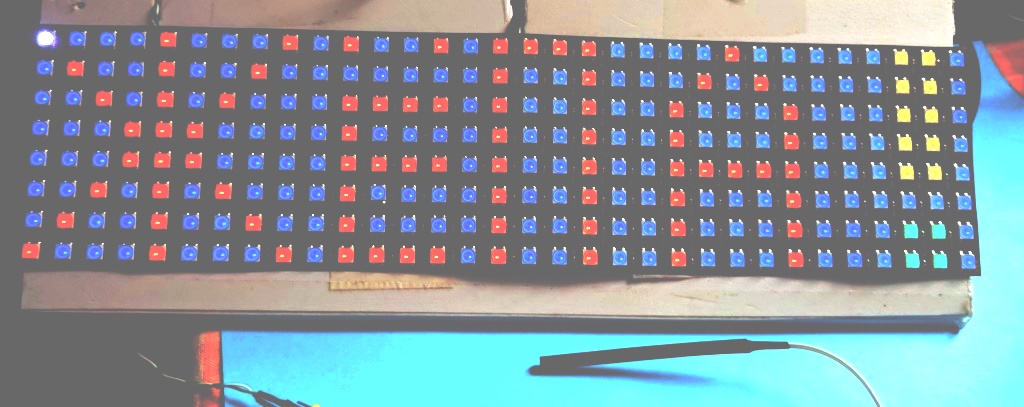
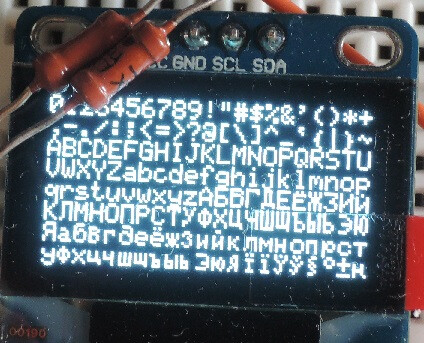
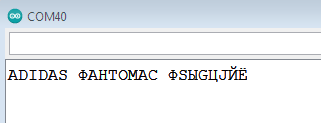
а надо было общество тайное делать! и была бы пятница…
в общем если у кого выйдет слово Жёпа правильно написать через вебсервер, дайте знать…
https://rus.hitmotop.com/song/63457650
#include <WiFi.h>
#include <WebServer.h>
#include <TFT_eSPI.h>
#include <SPI.h>
// Настройки точки доступа
const char* ssid = "ESP32_Display";
const char* password = "12345678";
WebServer server(80);
TFT_eSPI tft = TFT_eSPI();
// Переменные для текста
String displayText = "Hello World!";
int textColor = TFT_WHITE;
int bgColor = TFT_BLACK;
int textSize = 2;
void setup() {
Serial.begin(115200);
// Инициализация дисплея
tft.init();
tft.setRotation(3); // Подберите нужную ориентацию (0-3)
tft.fillScreen(bgColor);
tft.setTextColor(textColor, bgColor);
tft.setTextSize(textSize);
tft.setTextWrap(true);
// Включение подсветки
pinMode(TFT_BL, OUTPUT);
digitalWrite(TFT_BL, HIGH);
// Создание точки доступа
WiFi.softAP(ssid, password);
IPAddress IP = WiFi.softAPIP();
Serial.print("AP IP address: ");
Serial.println(IP);
// Настройка веб-сервера
server.on("/", HTTP_GET, handleRoot);
server.on("/setText", HTTP_POST, handleSetText);
server.on("/setSettings", HTTP_POST, handleSetSettings);
server.on("/style.css", HTTP_GET, handleCSS);
server.begin();
Serial.println("HTTP server started");
// Первоначальное отображение текста
updateDisplay();
}
void loop() {
server.handleClient();
delay(2);
}
void handleRoot() {
String html = R"rawliteral(
<!DOCTYPE html>
<html>
<head>
<meta charset="UTF-8">
<meta name="viewport" content="width=device-width, initial-scale=1">
<title>ESP32 Display Control</title>
<link rel="stylesheet" href="style.css">
</head>
<body>
<div class="container">
<h1>ESP32 Display Control</h1>
<div class="form-group">
<label for="textInput">Текст для отображения:</label>
<input type="text" id="textInput" name="text" value=")";
html += escapeHTML(displayText);
html += R"rawliteral(" maxlength="50">
</div>
<div class="form-group">
<label for="textSize">Размер текста:</label>
<select id="textSize" name="textSize">
<option value="1")";
html += (textSize == 1 ? " selected" : "");
html += R"rawliteral(>1</option>
<option value="2")";
html += (textSize == 2 ? " selected" : "");
html += R"rawliteral(>2</option>
<option value="3")";
html += (textSize == 3 ? " selected" : "");
html += R"rawliteral(>3</option>
<option value="4")";
html += (textSize == 4 ? " selected" : "");
html += R"rawliteral(>4</option>
</select>
</div>
<div class="form-group">
<label for="textColor">Цвет текста:</label>
<input type="color" id="textColor" name="textColor" value="#)";
html += colorToHex(textColor);
html += R"rawliteral(">
</div>
<div class="form-group">
<label for="bgColor">Цвет фона:</label>
<input type="color" id="bgColor" name="bgColor" value="#)";
html += colorToHex(bgColor);
html += R"rawliteral(">
</div>
<button onclick="updateText()">Обновить дисплей</button>
<div class="status" id="status"></div>
</div>
<script>
function updateText() {
const text = document.getElementById('textInput').value;
const textSize = document.getElementById('textSize').value;
const textColor = document.getElementById('textColor').value;
const bgColor = document.getElementById('bgColor').value;
const formData = new FormData();
formData.append('text', text);
formData.append('textSize', textSize);
formData.append('textColor', textColor);
formData.append('bgColor', bgColor);
fetch('/setText', {
method: 'POST',
body: formData
})
.then(response => response.text())
.then(data => {
document.getElementById('status').textContent = 'Текст обновлен!';
setTimeout(() => {
document.getElementById('status').textContent = '';
}, 2000);
})
.catch(error => {
document.getElementById('status').textContent = 'Ошибка: ' + error;
});
}
</script>
</body>
</html>
)rawliteral";
server.send(200, "text/html; charset=utf-8", html);
}
void handleCSS() {
String css = R"rawliteral(
body {
font-family: Arial, sans-serif;
background: linear-gradient(135deg, #667eea 0%, #764ba2 100%);
margin: 0;
padding: 20px;
min-height: 100vh;
}
.container {
max-width: 500px;
margin: 0 auto;
background: white;
padding: 30px;
border-radius: 15px;
box-shadow: 0 10px 30px rgba(0,0,0,0.2);
}
h1 {
text-align: center;
color: #333;
margin-bottom: 30px;
}
.form-group {
margin-bottom: 20px;
}
label {
display: block;
margin-bottom: 5px;
font-weight: bold;
color: #555;
}
input[type="text"], select {
width: 100%;
padding: 12px;
border: 2px solid #ddd;
border-radius: 8px;
font-size: 16px;
box-sizing: border-box;
}
input[type="color"] {
width: 60px;
height: 40px;
border: none;
border-radius: 5px;
cursor: pointer;
}
button {
width: 100%;
padding: 15px;
background: linear-gradient(135deg, #667eea 0%, #764ba2 100%);
color: white;
border: none;
border-radius: 8px;
font-size: 18px;
font-weight: bold;
cursor: pointer;
transition: transform 0.2s;
}
button:hover {
transform: translateY(-2px);
}
.status {
margin-top: 20px;
padding: 10px;
text-align: center;
color: #28a745;
font-weight: bold;
}
)rawliteral";
server.send(200, "text/css; charset=utf-8", css);
}
void handleSetText() {
// Обработка текста с правильной кодировкой
if (server.hasArg("text")) {
displayText = server.arg("text");
Serial.println("Received text: " + displayText);
}
if (server.hasArg("textSize")) {
textSize = server.arg("textSize").toInt();
if (textSize < 1) textSize = 1;
if (textSize > 4) textSize = 4;
}
if (server.hasArg("textColor")) {
String colorHex = server.arg("textColor");
// Убираем # если есть
if (colorHex.startsWith("#")) { colorHex = colorHex.substring(1); }
textColor = hexToColor(colorHex); }
if (server.hasArg("bgColor")) {
String colorHex = server.arg("bgColor");
if (colorHex.startsWith("#")) {
colorHex = colorHex.substring(1);
} bgColor = hexToColor(colorHex); }
updateDisplay();
server.send(200, "text/plain; charset=utf-8", "OK");
}
void handleSetSettings() { server.send(200, "text/plain; charset=utf-8", "Settings updated"); }
uint16_t hexToColor(String hex) {
if (hex.length() != 6) return TFT_WHITE;
long number = strtol(hex.c_str(), NULL, 16);
uint8_t r = number >> 16;
uint8_t g = number >> 8 & 0xFF;
uint8_t b = number & 0xFF;
return ((r & 0xF8) << 8) | ((g & 0xFC) << 3) | (b >> 3);
}
String colorToHex(uint16_t color) {
uint8_t r = (color >> 8) & 0xF8;
uint8_t g = (color >> 3) & 0xFC;
uint8_t b = (color << 3) & 0xF8;
char hex[7];
snprintf(hex, sizeof(hex), "%02X%02X%02X", r, g, b);
return String(hex);
}
String escapeHTML(String input) {
input.replace("&", "&");
input.replace("<", "<");
input.replace(">", ">");
input.replace("\"", """);
input.replace("'", "'");
return input;
}
// Простая функция для расчета ширины текста (приблизительная)
int calculateTextWidth(String text, int size) {
// Приблизительная ширина символа в пикселях для разных размеров
const int charWidth[] = {6, 12, 18, 24};
if (size < 1 || size > 4) size = 2;
return text.length() * charWidth[size - 1];
}
// Простая функция для расчета высоты текста
int calculateTextHeight(int size) {
// Приблизительная высота строки в пикселях для разных размеров
const int lineHeight[] = {8, 16, 24, 32};
if (size < 1 || size > 4) size = 2;
return lineHeight[size - 1];
}
void updateDisplay() {
tft.fillScreen(bgColor);
tft.setTextColor(textColor, bgColor);
tft.setTextSize(textSize);
tft.setTextWrap(true);
// Простое центрирование текста
int textWidth = calculateTextWidth(displayText, textSize);
int textHeight = calculateTextHeight(textSize);
int x = (TFT_WIDTH - textWidth) / 2;
int y = (TFT_HEIGHT - textHeight) / 2;
// Ограничиваем координаты, чтобы текст не выходил за границы
x = max(0, x);
y = max(0, y);
tft.setCursor(x, y);
tft.print(displayText);
Serial.println("Display updated: " + displayText);
Serial.println("Text size: " + String(textSize));
Serial.println("Text color: #" + colorToHex(textColor));
Serial.println("BG color: #" + colorToHex(bgColor));
Serial.println("Cursor position: " + String(x) + ", " + String(y));
}
как бы вы там русский не подключали..
lilik Ёё все равно не работает))) еще кстати вроде буквы могут быть в памяти, и что бы убедиться что работает ее постоянно очищать надо, но у вас все работает и не трогайте лучше)))
костыль наверное просто какой то поставить с заменой, и не париться… если их вообще реально выводить на tft дисплей…