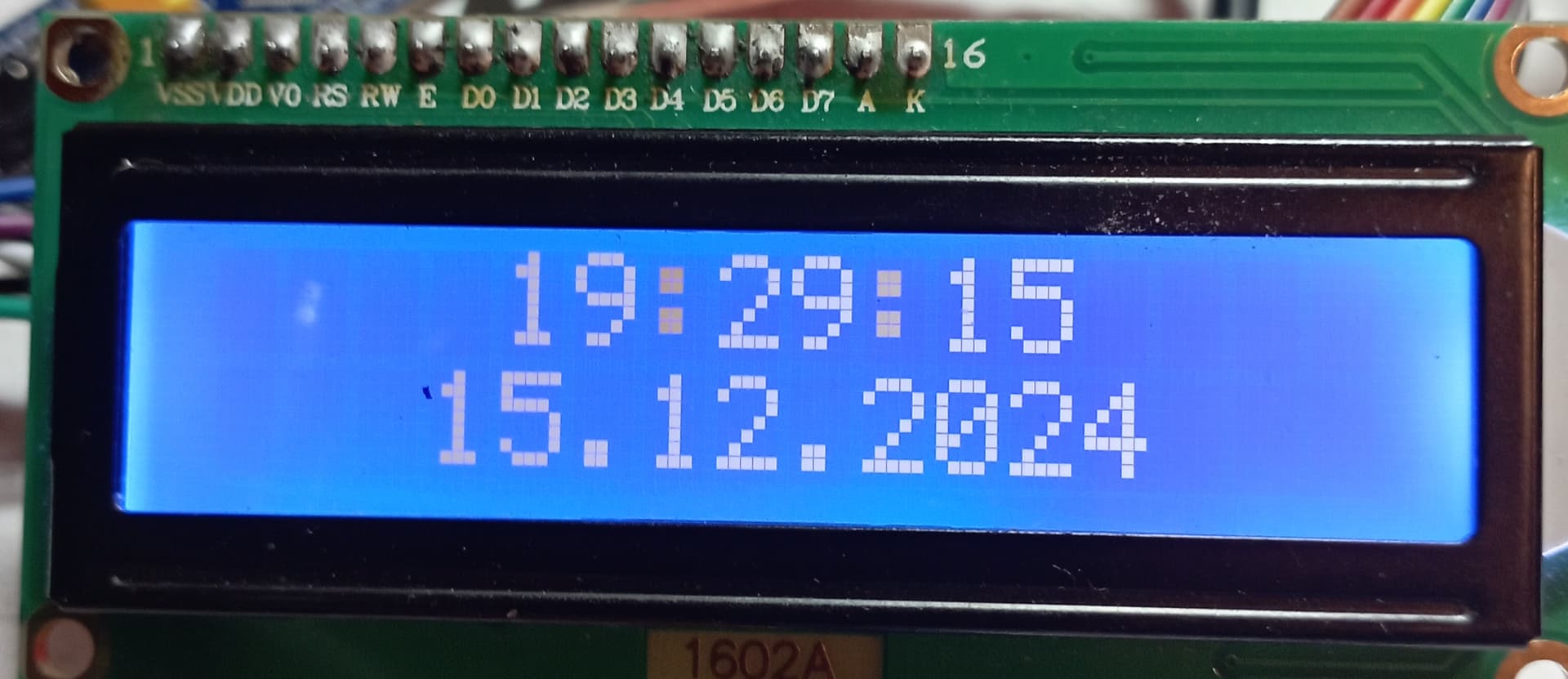
ну проверяй соединение стлинк и блюпилл
CLK и DIO не попутал?
Вроде бы правильно питание на 3,3в а на юарте на 5в может в этом причина
Точно крышку снял на стлинке с платы смотрел,попутал clk c dio
Подскажите пожалуйста скетч для часов еле видны чёрные цифры на синем фоне дисплей 1602а
#include <Wire.h>
#include <LiquidCrystal_I2C.h>
#include <STM32RTC.h>

LiquidCrystal_I2C lcd(0x27, 16, 2);
STM32RTC& rtc = STM32RTC::getInstance();

int hours, minutes, seconds;
bool colonVisible = true;
unsigned long lastBlink = 0;

void setup() {
  Wire.begin();
  lcd.init();
  lcd.backlight();

  // Увеличиваем контрастность через код
  lcd.clear();
  lcd.print("Adjust Contrast");
  lcd.setCursor(0, 1);
  lcd.print("on I2C module!");

  rtc.setClockSource(STM32RTC::LSI_CLOCK);
  rtc.begin();

  if (!rtc.isTimeSet()) {
    setCompileTime();
  }

  delay(3000);
  lcd.clear();
}

void loop() {
  updateTime();

  // Мигание двоеточия каждые 500мс
  if (millis() - lastBlink > 500) {
    lastBlink = millis();
    colonVisible = !colonVisible;
    displayTime();
  }

  delay(100);
}

void updateTime() {
  hours = rtc.getHours();
  minutes = rtc.getMinutes();
  seconds = rtc.getSeconds();
}

void displayTime() {
  lcd.setCursor(4, 0);
  printTwoDigits(hours);

  lcd.print(colonVisible ? ":" : " ");

  printTwoDigits(minutes);

  lcd.print(colonVisible ? ":" : " ");

  printTwoDigits(seconds);

  // Нижняя строка - большие цифры даты
  lcd.setCursor(3, 1);
  printTwoDigits(rtc.getDay());
  lcd.print(".");
  printTwoDigits(rtc.getMonth());
  lcd.print(".");
  lcd.print(rtc.getYear() + 2000);
}

void printTwoDigits(int number) {
  if (number < 10) lcd.print("0");
  lcd.print(number);
}

void setCompileTime() {
  String compileTime = __TIME__;
  int compileHours = compileTime.substring(0, 2).toInt();
  int compileMinutes = compileTime.substring(3, 5).toInt();
  int compileSeconds = compileTime.substring(6, 8).toInt();

  rtc.setTime(compileHours, compileMinutes, compileSeconds);
  rtc.setDate(15, 12, 24); // 15 декабря 2024
}
Осталось схему соединений, фото сборки.
STM32F103C6T6:
PA0 → Кнопка SET → 10k → GND
PA1 → Кнопка UP → 10k → GND
PA2 → Кнопка DOWN → 10k → GND
PA3 → Кнопка ALARM → 10k → GND
PA8 → Пассивный бузер(+)
GND → Пассивный бузер(-)

PB6 → LCD SCL
PB7 → LCD SDA
3.3V → LCD VCC
GND → LCD GND
А 5в на дисплей подать?
Питание с ст линка 3.3 боюся 5 подавать ещë не туда подам. Вот когда белые цифры были на этом дисплее как то лучше было в другом проекте.